
How to use GoalCodex
A complete walkthrough of every feature on the site — from searching to comparing, filtering, and beyond.
The navigation bar
The navigation bar at the top of every page is your main way to move around GoalCodex.

- Explore dropdowns — pick what to explore (Goals or Matches) and a dimension (by Country, Organisation, Team, or Player) to jump straight to the right browse page.
- Records — goes to the all-time and filtered top scorers and assisters leaderboard.
- H2H — goes to the Head-to-Head tool where you can look up the full record between any two teams.
- Compare — goes to the standalone side-by-side stats comparison tool.
- Orange grid button () — opens the quick-start wizard from any page so you can jump to any area of the site in two clicks.
- Heart icon — opens your Favourites panel once you're signed in. The red badge shows your total saved items.
Quick-start wizard
The quick-start wizard is the fastest way to navigate to any section of the site. Click the orange button in the navigation bar — or the Explore Statistics button on the homepage — to open it.
Step 1 — What do you want to explore?
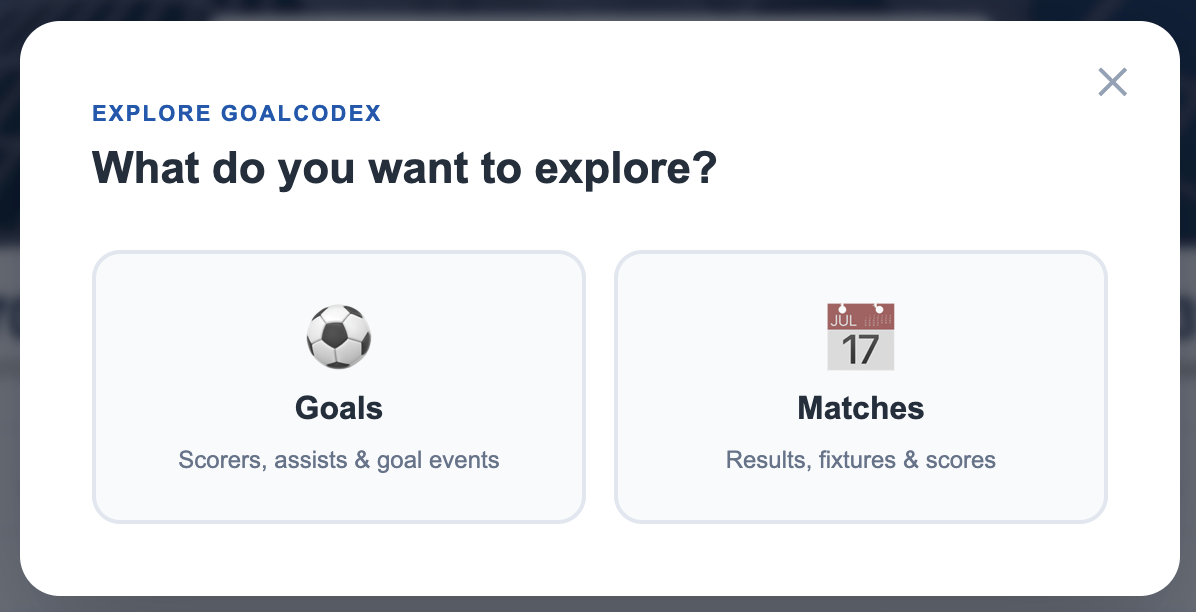
Choose Goals to explore goal statistics, or Matches to browse match results and in-game goal logs.
Step 2 — Which dimension?
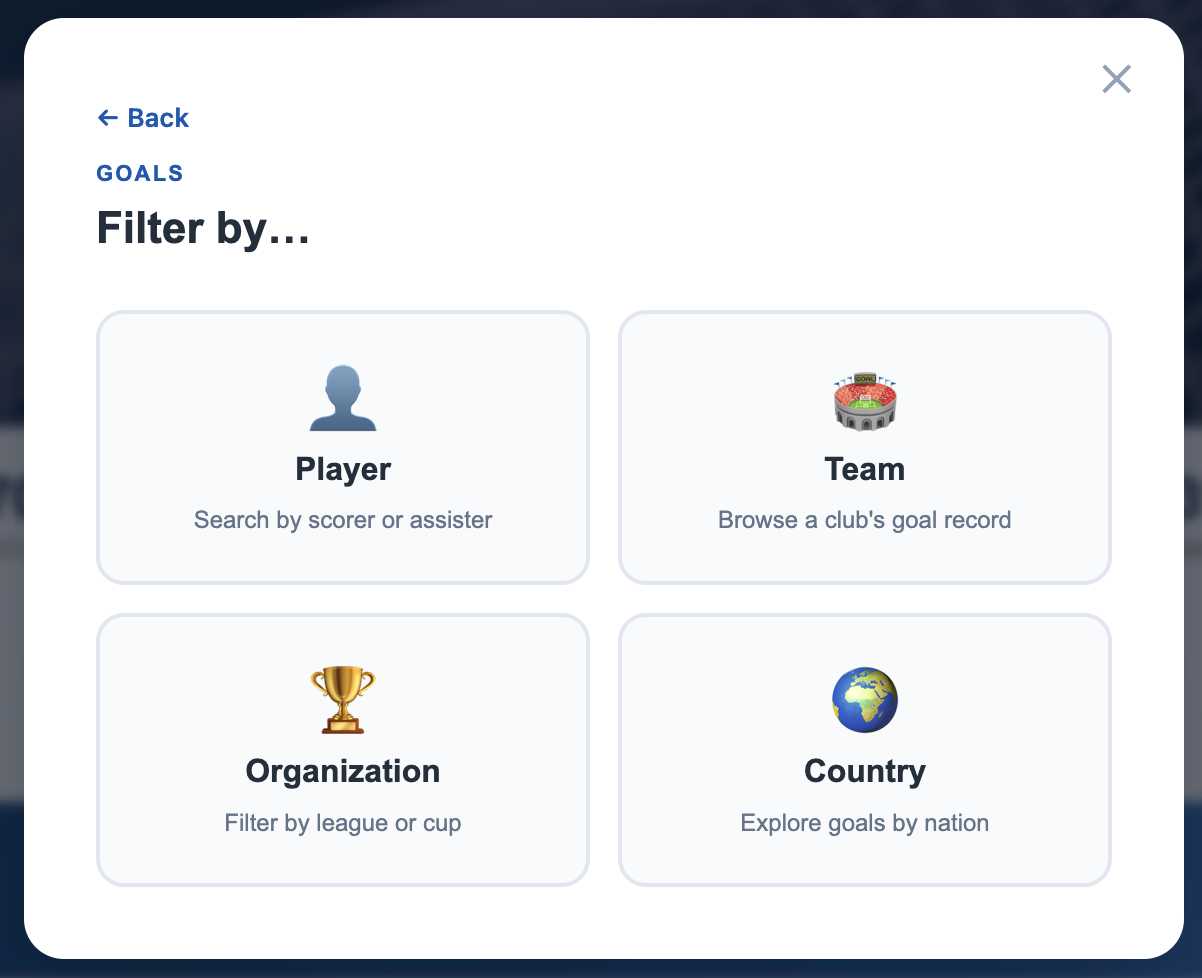
Pick Player, Team, Organisation, or Country. The wizard takes you straight to the matching search page.
Searching for a player or team
Click the search bar at the top of any page and start typing. Results appear instantly, showing player photos and team logos alongside each match.
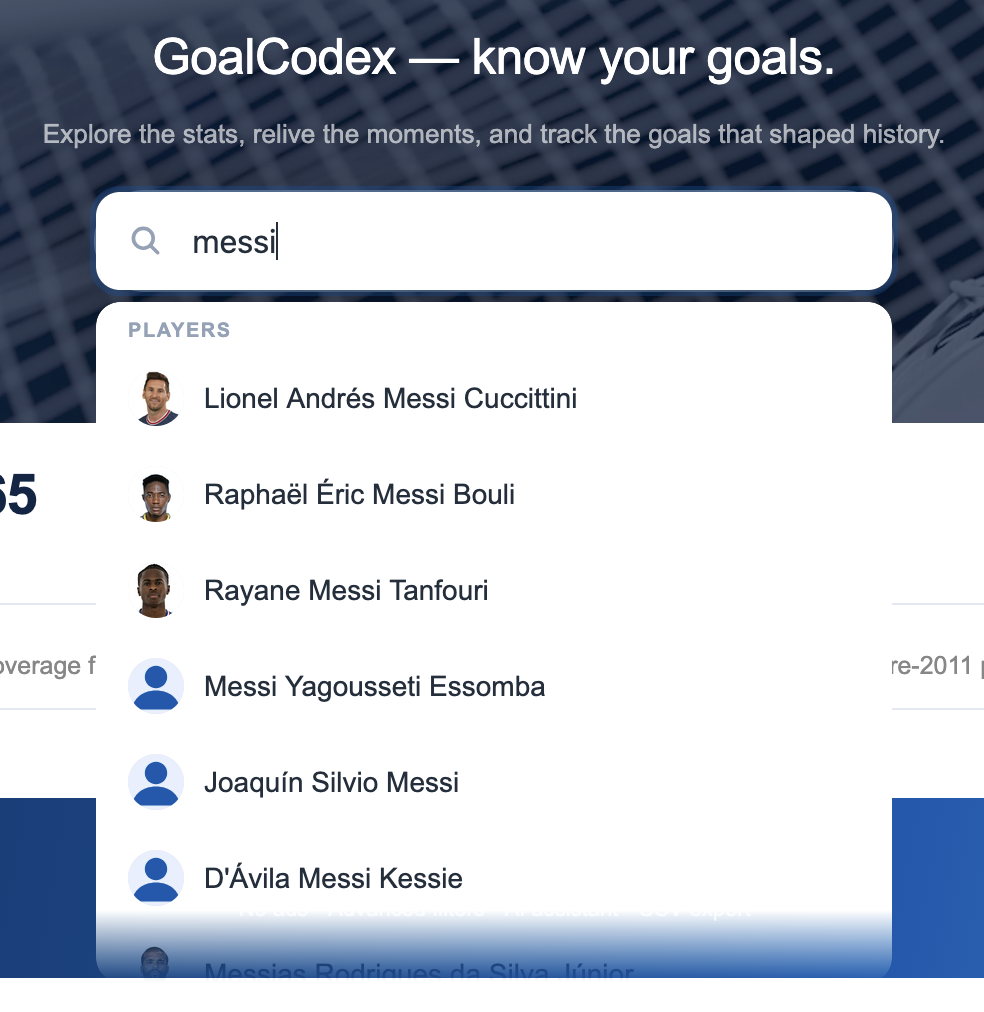
Tip: The search prioritises exact name matches, so typing a full name will bring it to the top of the list even when many similar results exist.
Player goal pages
A player's page shows their complete career goal record, with powerful filtering tools to narrow down exactly what you want to see.
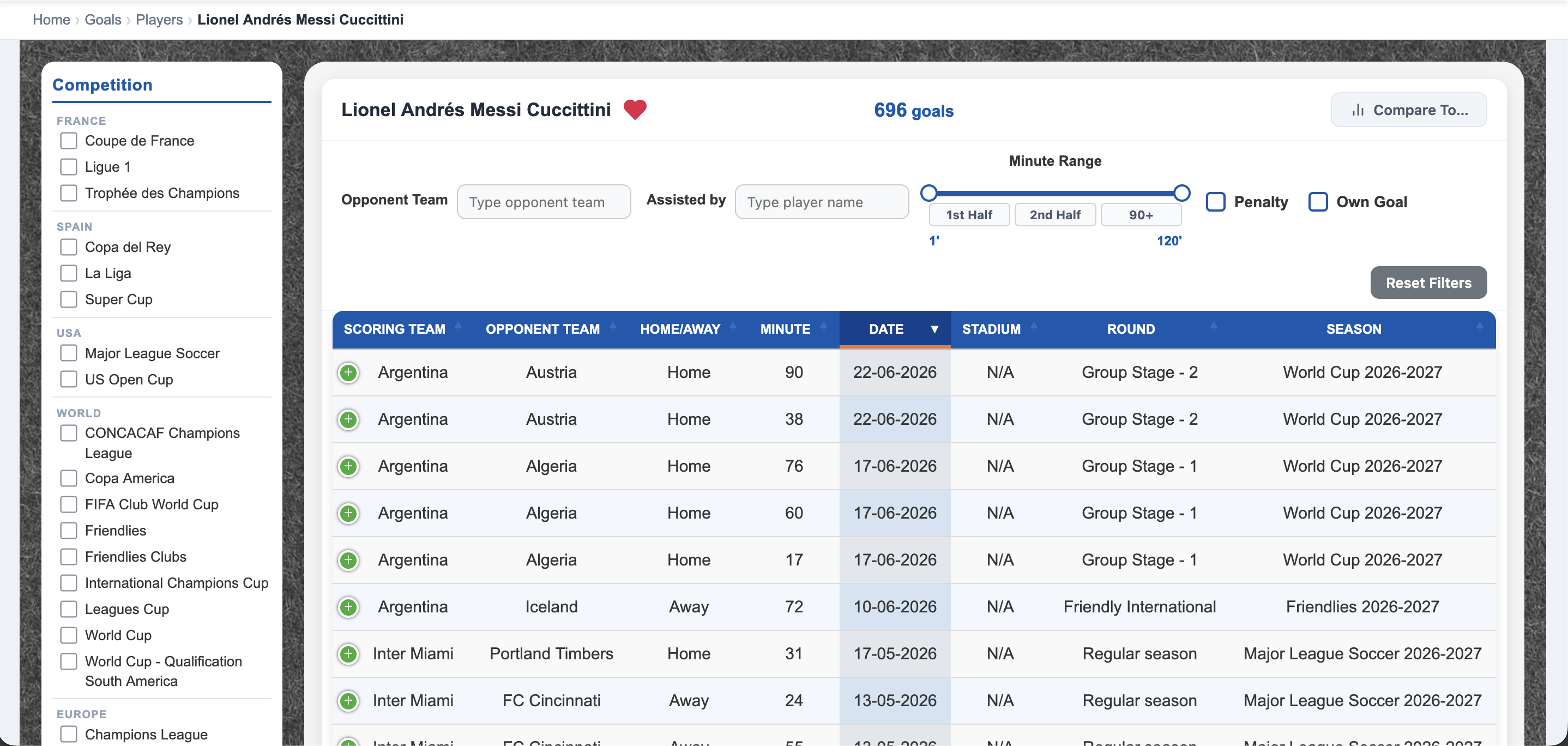
- Goals chart — a bar chart at the top shows goals by season at a glance.
- Left sidebar — tick any competition or organisation to filter the goal list to that context. You can tick multiple at once.
- Filter bar — quick-access chips for season, goal type (penalty, own goal), venue (home/away), match period, and more.
- Goal table — each row is one goal: date, opponent, competition, minute, and assist player where available.
- Compare panel — on the right side, search for another player to put stats side by side (see section 6).
Filtering goals
Filters can be stacked freely — the goal list updates in real time as you add or remove each one.
Selecting seasons
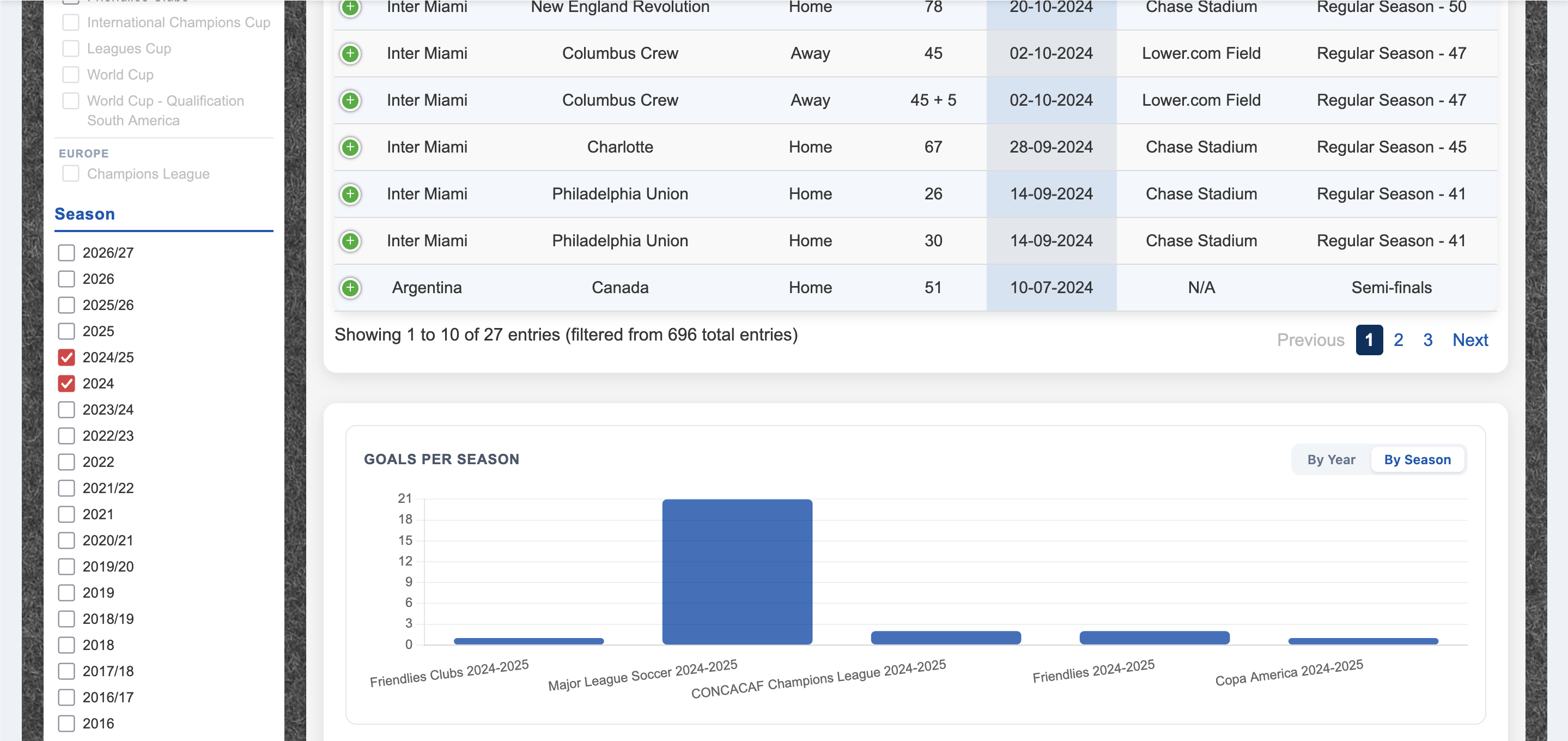
GoalCodex tracks both cross-year seasons (e.g. 2024/25) and calendar-year seasons (e.g. 2024). You can select multiple at once — useful when you want to see a player's domestic season goals alongside an international tournament in the same calendar year.
Active filter chips
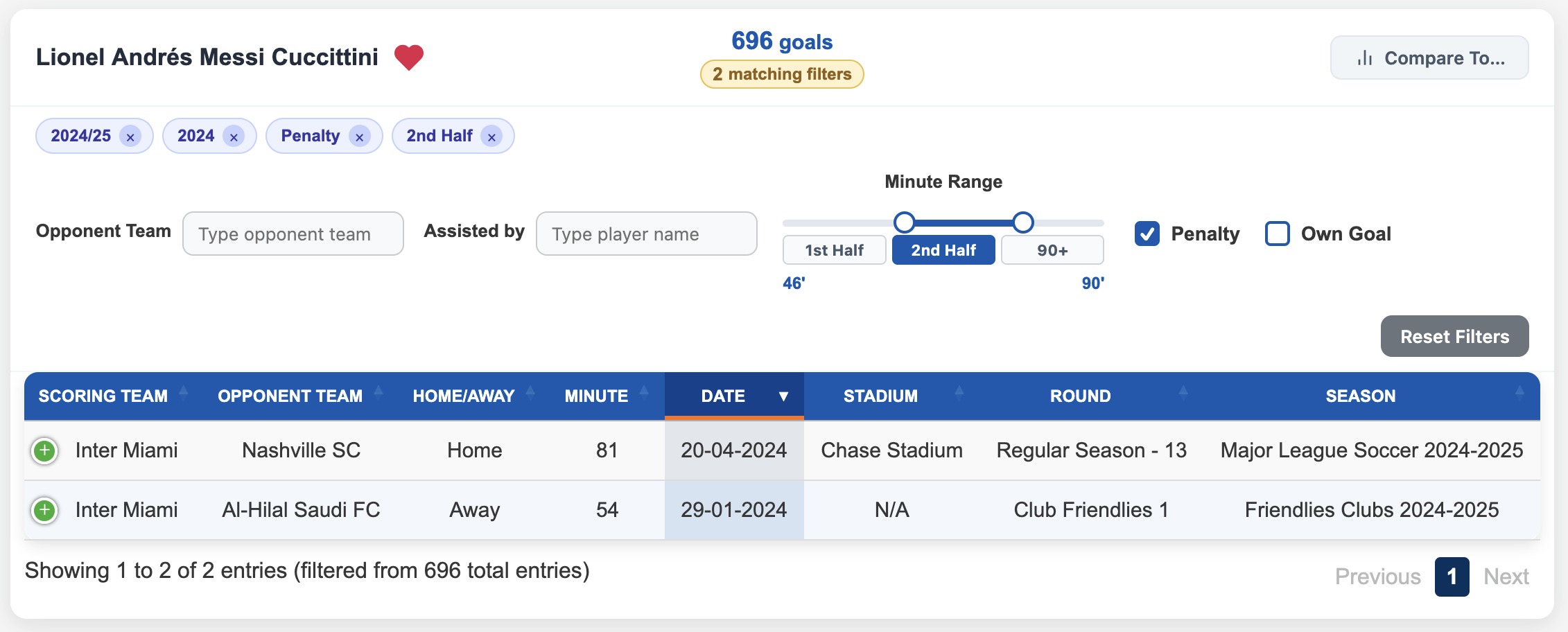
Every active filter appears as a chip. Click the × on any chip to remove just that filter. The "X matching filters" badge confirms how many are active at once. Use Clear all to reset everything.
Comparing players
Compare any two players' career statistics side by side, directly from a player's goals page.
Search for a player to compare
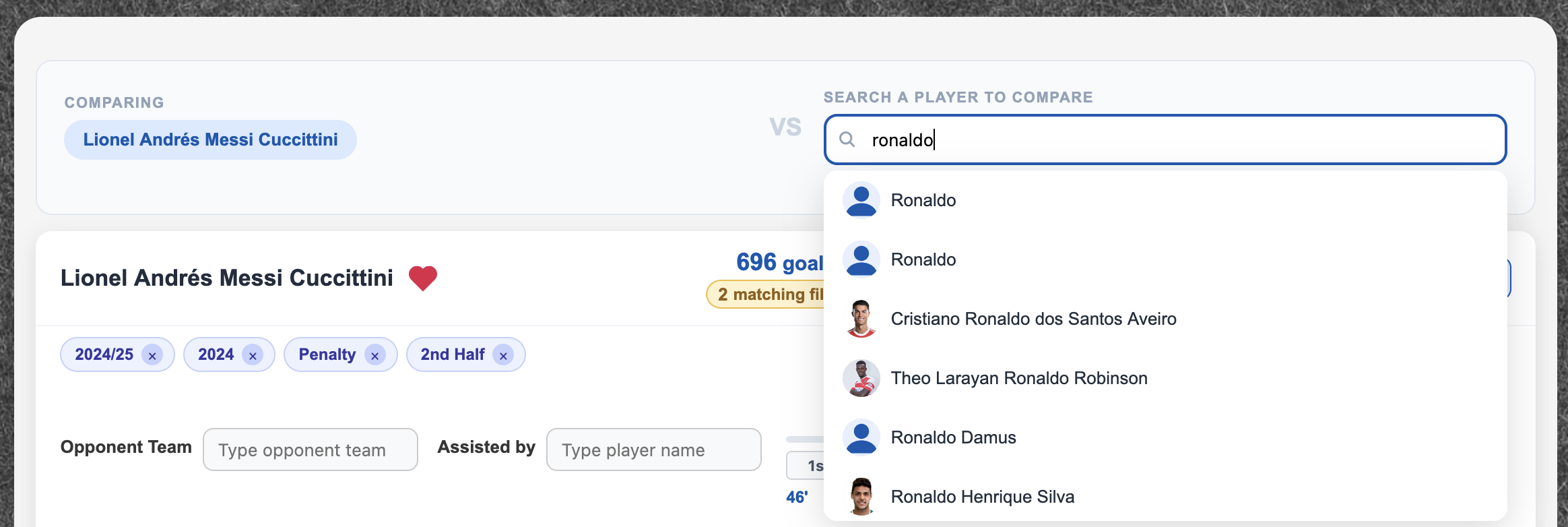
Use the compare panel on the right of the page. Type a name and select from the dropdown — results show photos for easy identification.
View the comparison
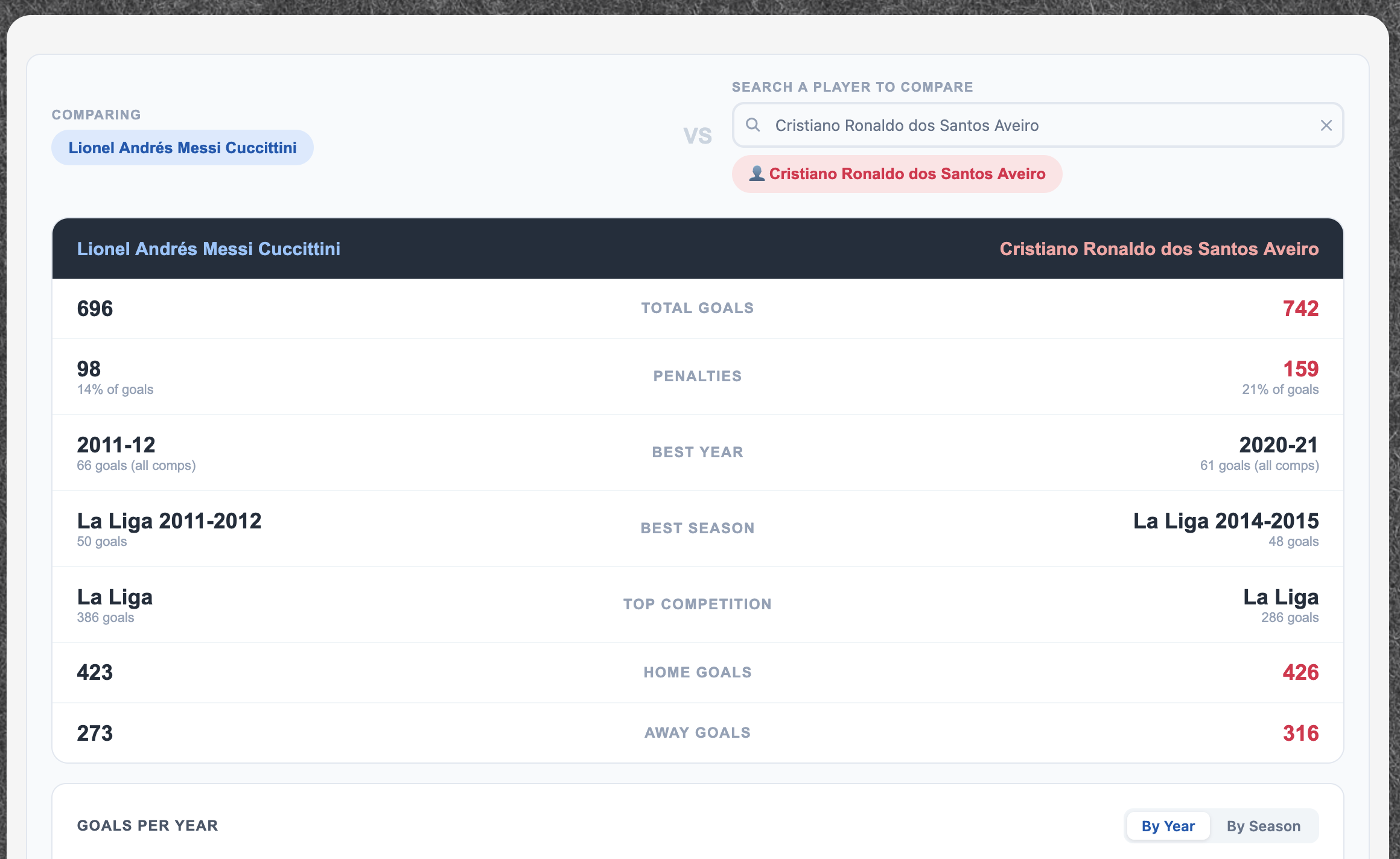
A stats table appears with both players' career totals: goals, penalties, best year, best season, top competition, home goals, and away goals. The higher value in each row is highlighted.
Comparing teams
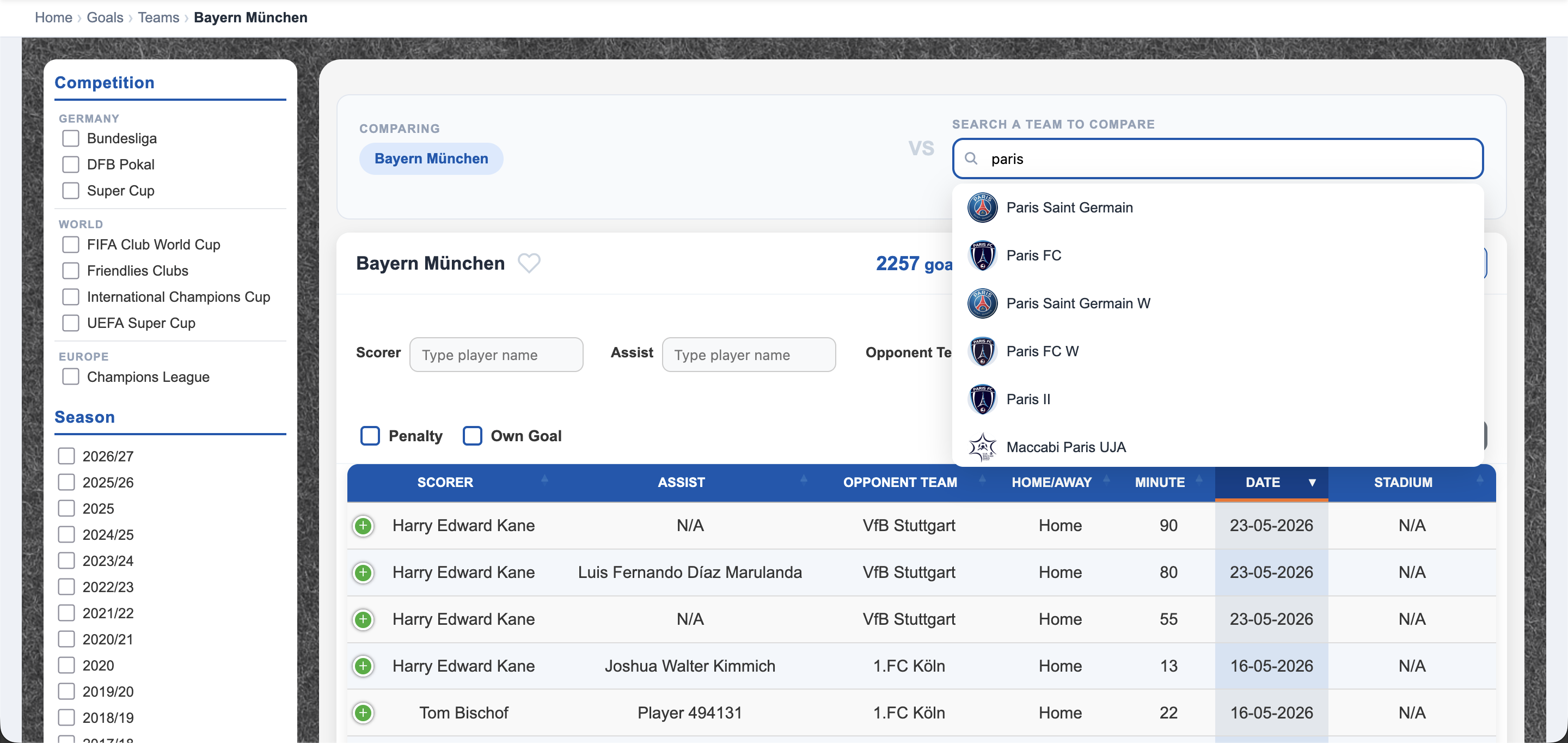
The same compare feature is available on team pages — search for any other team from the compare panel to see their stats side by side.
Search for a team to compare
View the comparison
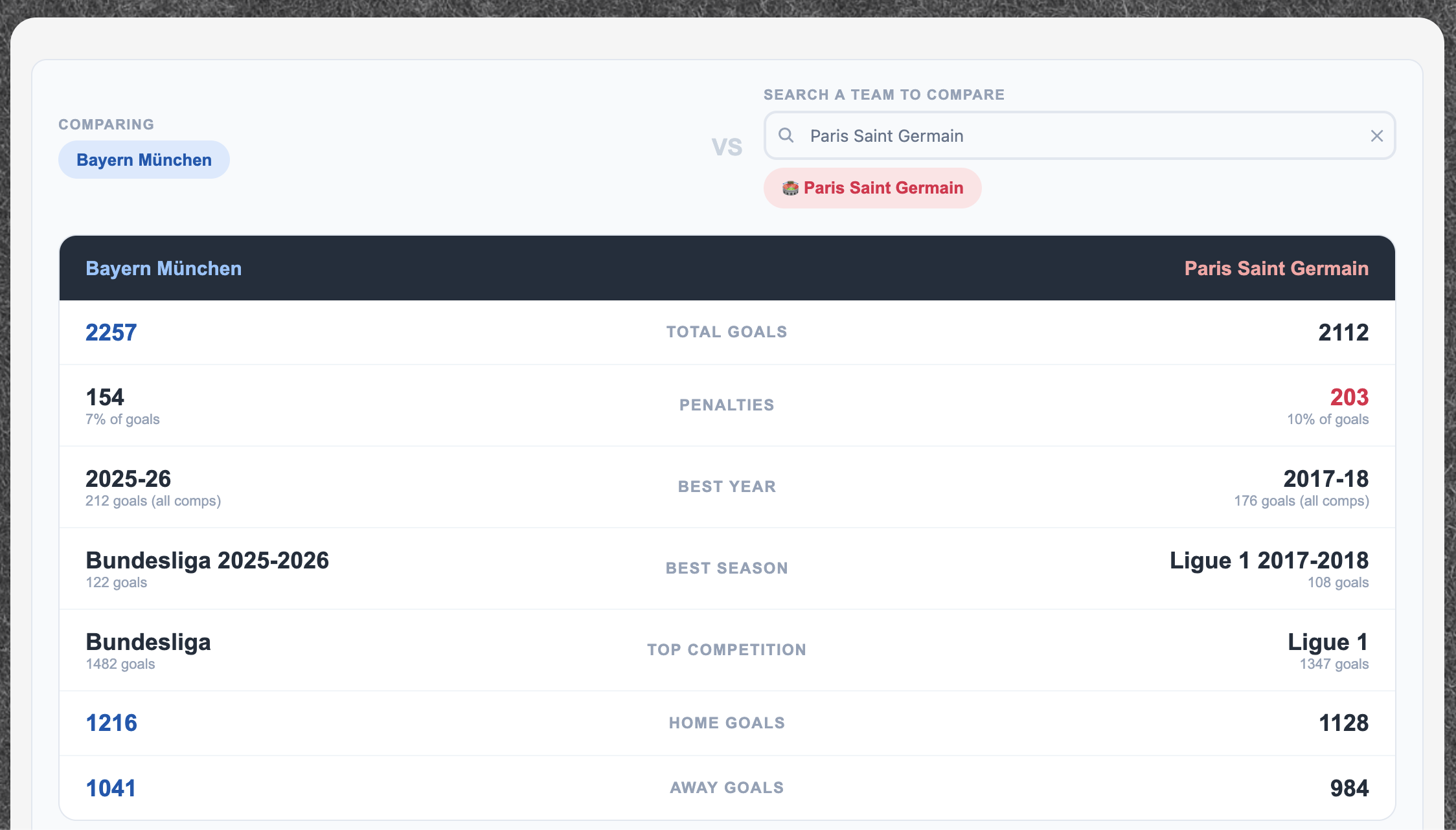
The table shows total goals, penalties, best year, best season, top competition, home goals, and away goals. The higher number in each row is highlighted in blue.
Head-to-Head (H2H)
The H2H tool shows the complete historical record between any two teams — every match they've played against each other in the database.
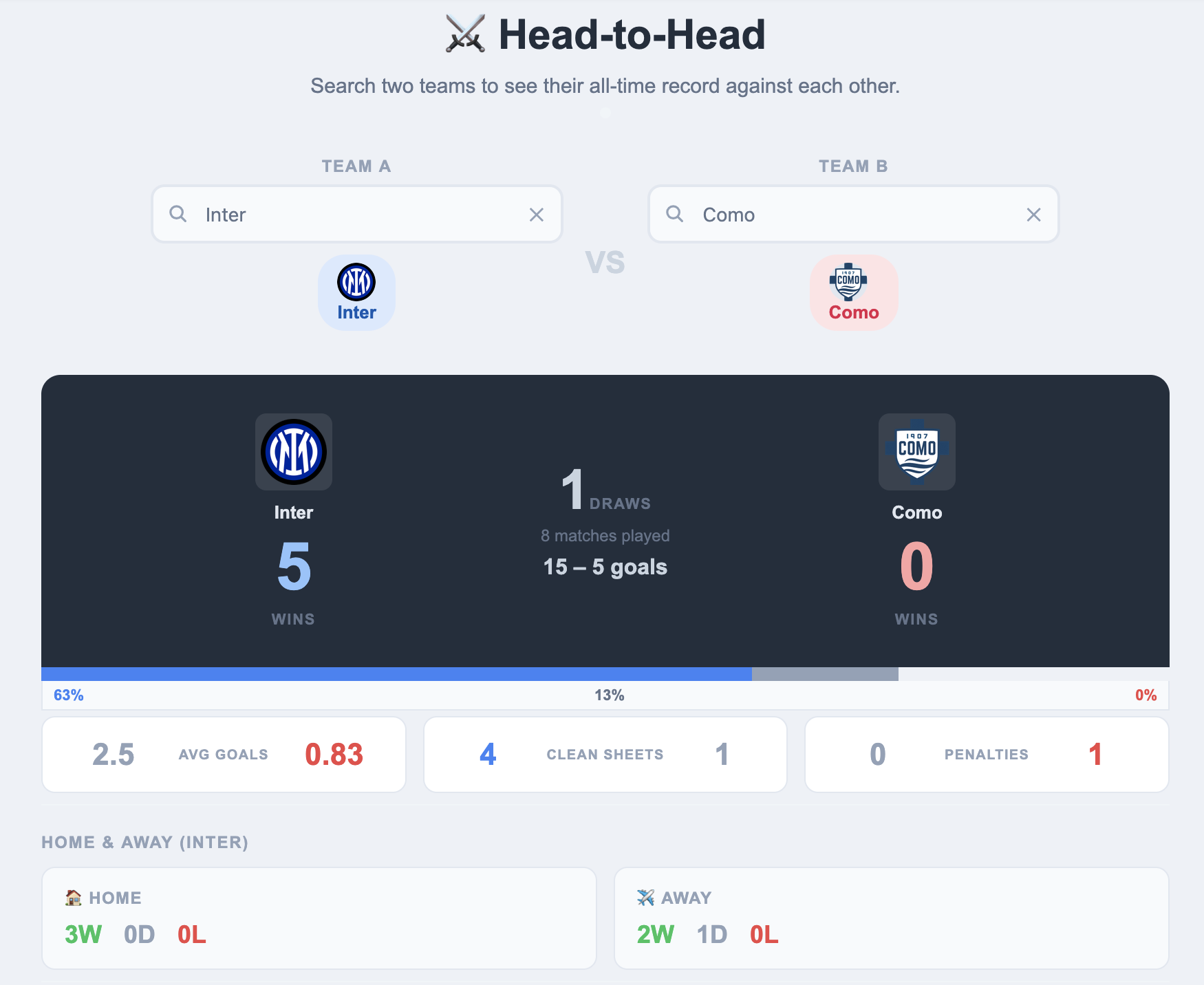
- Search for Team A and Team B using the two search boxes at the top. Team logos appear once a team is selected.
- The scoreboard shows total wins, draws, and combined goals across all meetings.
- The coloured bar visualises the win percentage — blue for Team A, grey for draws, pink for Team B.
- Stat cards show average goals per game, clean sheets, and penalty counts in these fixtures.
- The Home & Away section shows how each team performs when hosting versus travelling.
- Scroll down to see every individual match with results and scorers.
Records
The Records page ranks the top scorers and top assisters across the entire database, with filters to focus on a specific competition or year.
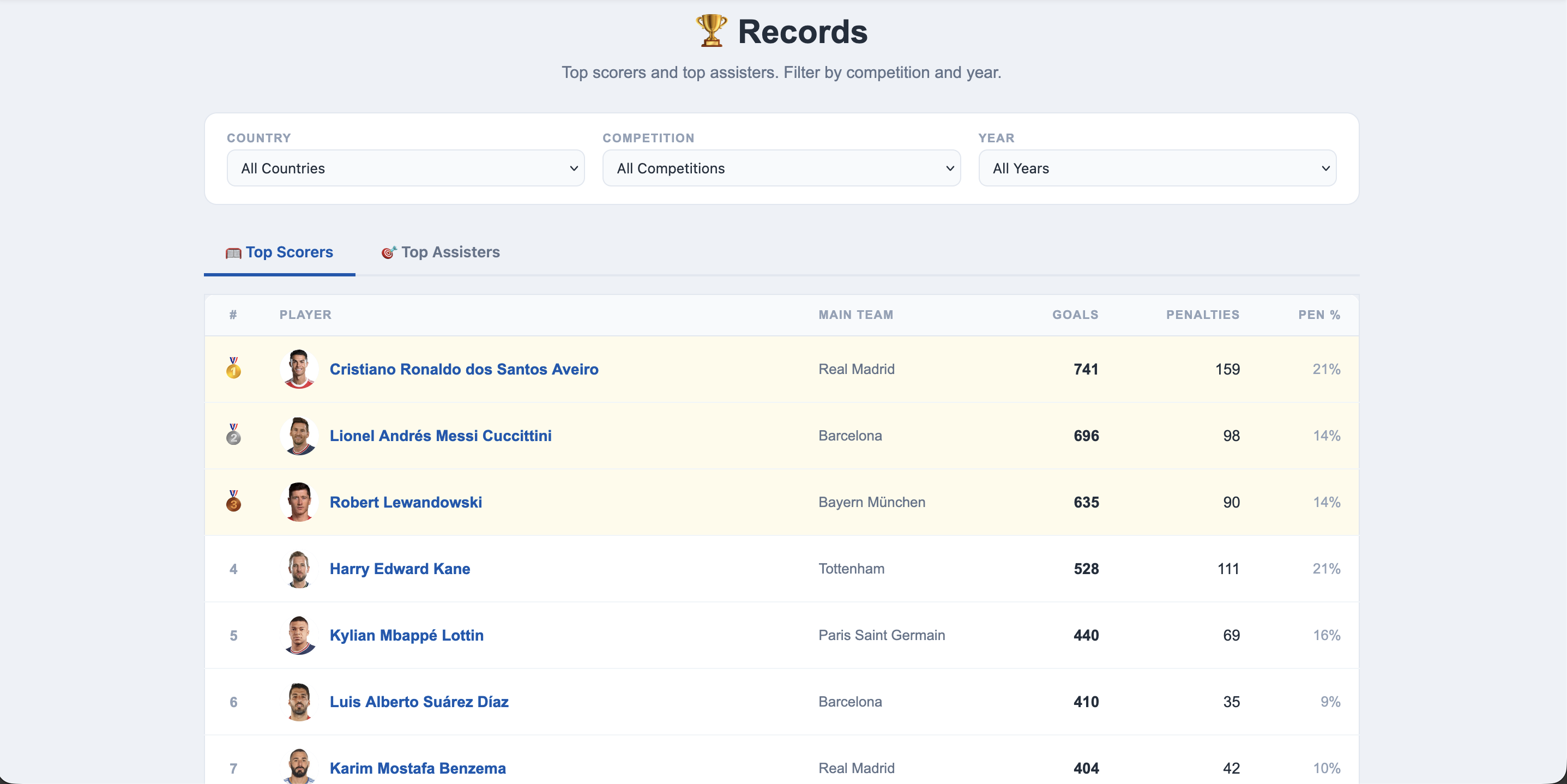
- Switch between Top Scorers and Top Assisters using the tabs.
- Filter by Country, Competition, and Year — for example, the top scorer in the Premier League in 2023.
- Gold, silver, and bronze medals highlight the top three in each leaderboard.
- The penalty count and penalty percentage columns show the make-up of each player's goals.
- Click any player's name to go to their full goals page.
My Favourites
Save the players and teams you follow most often for one-click access from any page on the site.
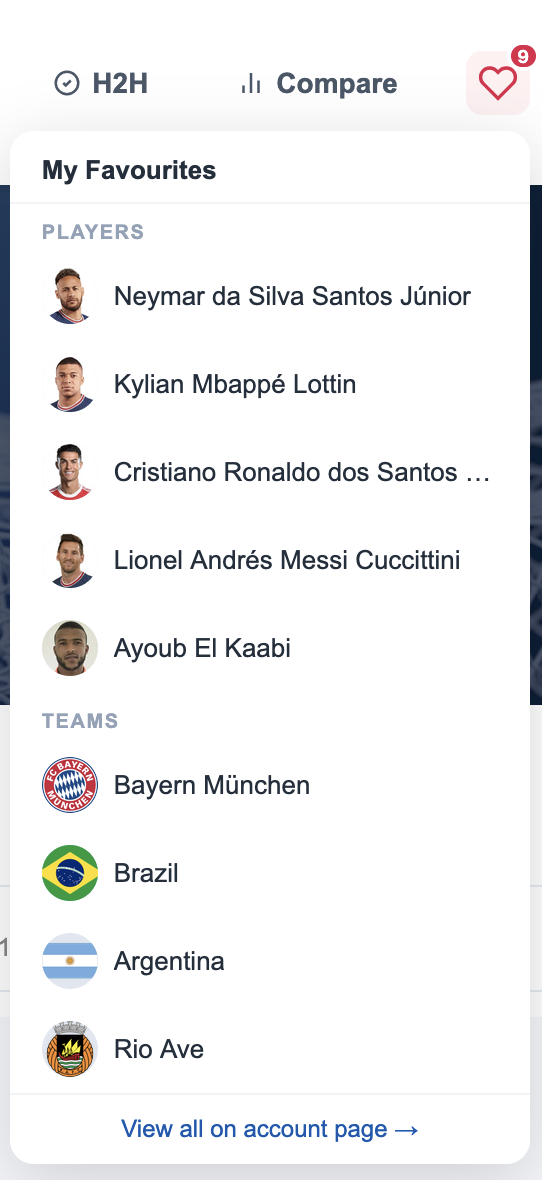
- Click the heart icon () in the top navigation to open the panel.
- Players and teams are listed separately, each with a photo or club crest.
- Click any name to go straight to their goals page.
- Click View all on account page → to manage your complete favourites list.
- To add a new favourite, click the heart icon on any player or team page.
Favourites require a free account. Create one here →
Welcome back greeting
After logging in, GoalCodex shows a welcome screen listing your saved favourites as quick-access buttons — so you can jump straight to the content you care about most without extra navigation.
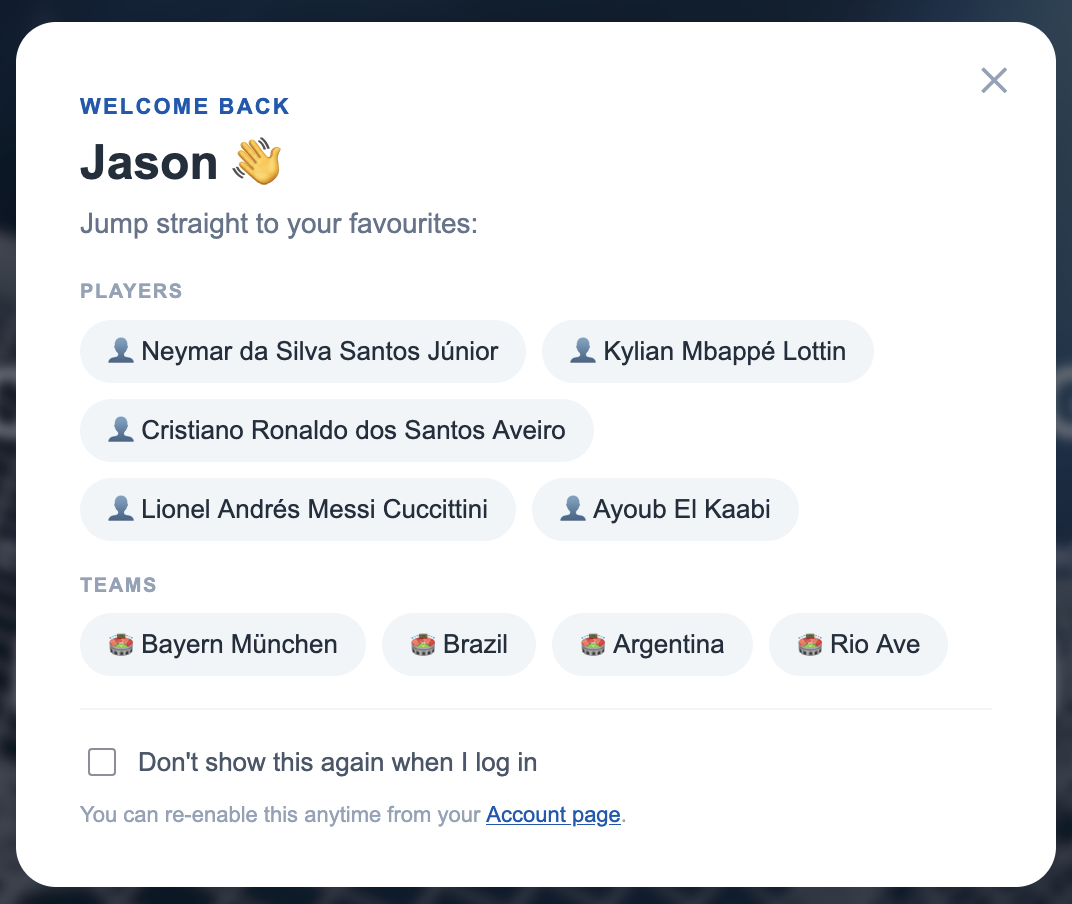
- Click any pill button to go directly to that player's or team's goals page.
- Tick "Don't show this again when I log in" to skip the greeting on future logins.
- You can re-enable it at any time from your Account page.